Skip to main content
SolTap Docs home page
Search...
⌘K
Dashboard
Dashboard
Search...
Navigation
How To Claim SOL?
Axiom (Trading App)
Documentation
General
SolTap Overview
Referral Program
Private Deployment
Community Content
Brand Assets
FAQ
Contact Us
How To Claim SOL?
Phantom (Mobile Wallet)
OKX (Mobile Wallet)
Ave.ai (Mobile Wallet)
Binance Wallet (Mobile Wallet)
Axiom (Trading App)
Photon (Trading App)
BullX (TG Trading Bot)
SOLTradingBot (TG Trading Bot)
Unibot/Unisol (TG Trading Bot)
GMGN.AI (TG Trading Bot)
PepeBoost (TG Trading Bot)
Nova/TradeOnNova (TG Trading Bot)
Trojan (TG Trading Bot)
PumpFun (Trading Platform)
How To Claim SOL?
Axiom (Trading App)
Open
Axiom.trade
on browser
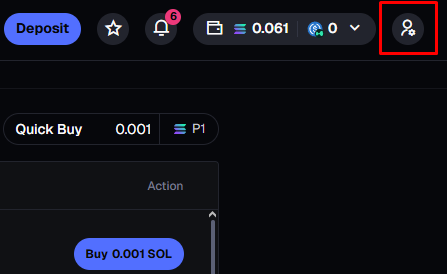
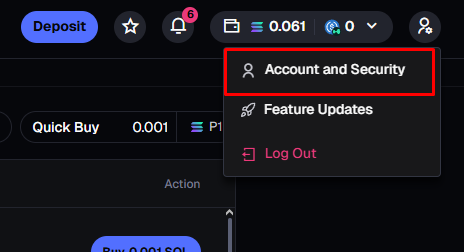
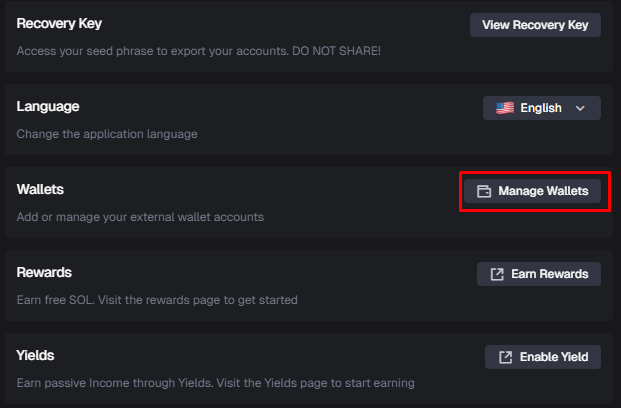
Follow the step-by-step
Open your phantom wallet on your phone and click the icon in the upper left corner.
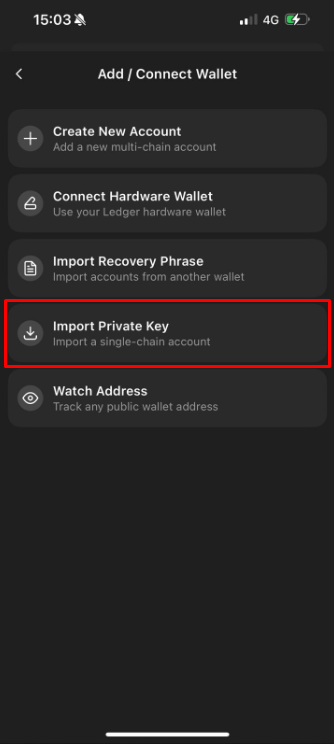
Click on Add/Connect Wallet -> Import Private Key, and paste the private key you copied on the Axiom.
Binance Wallet (Mobile Wallet)
Photon (Trading App)
⌘I