

- Open TradeonNova in Telegram and send command /start.
-
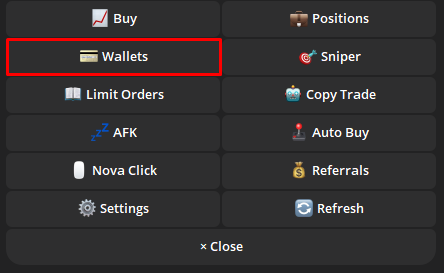
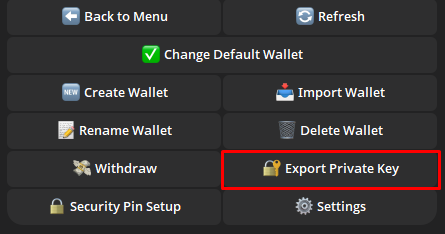
Click on Wallet -> Export Private Key.
-
Select the wallet you want to export.
-
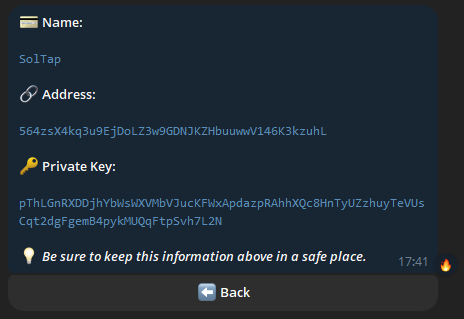
Copy your private key
- Open your phantom wallet on your phone and click the icon in the upper left corner.
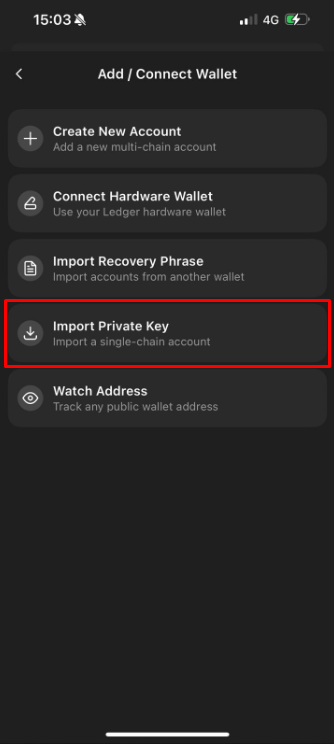
- Click on Add/Connect Wallet -> Import Private Key, and paste the private key you copied on the Nova.
 |  |
- Congratulations, you can now use this wallet to open soltap.io to claim free sol. If you need further guidance, you can check out our tutorial video about phantom wallet.